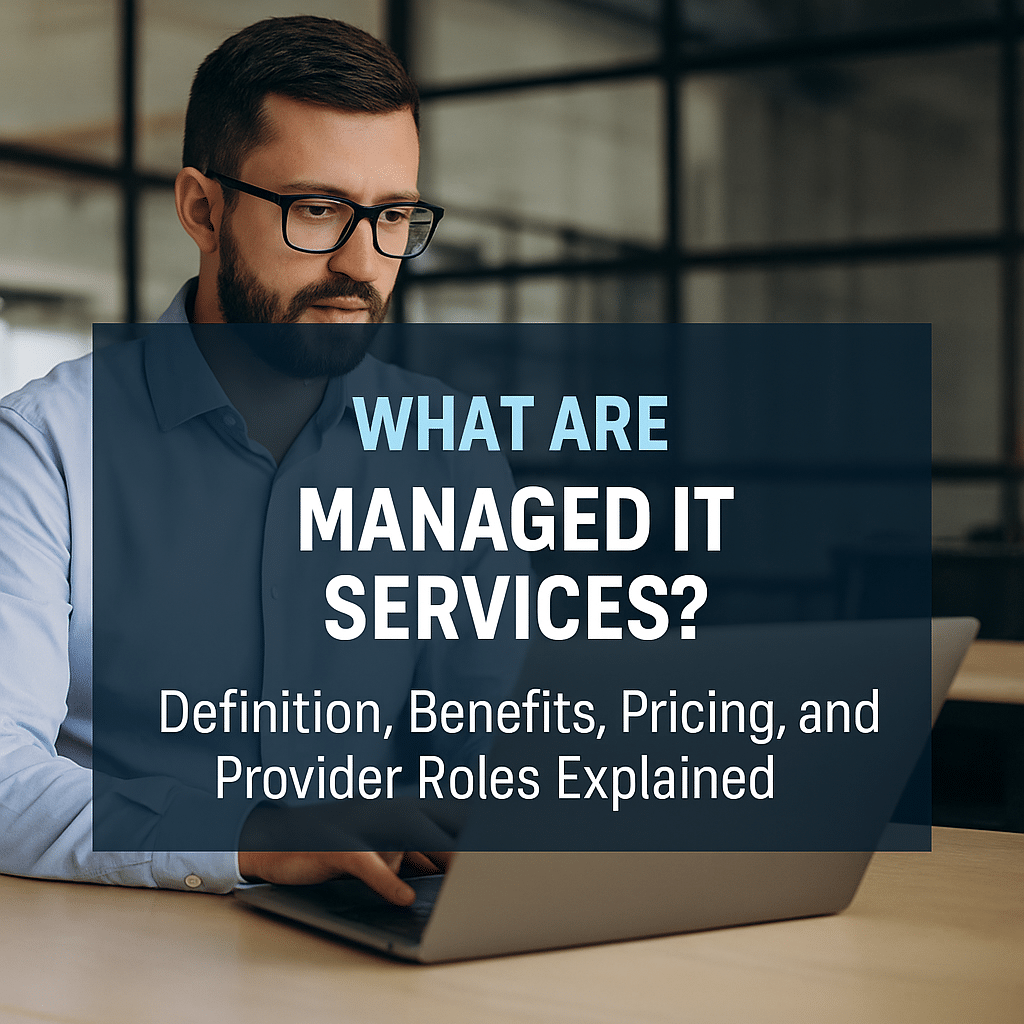
What Are Managed IT Services? Definition, Benefits, Pricing, and Provider Roles Explained
Managed IT services are a subscription-based approach to outsourcing routine IT operations, delivering reliability and predictable performance through proactive monitoring, maintenance, and defined service commitments. This article explains what managed IT services are, how managed service providers (MSPs) operate, the main service categories such as managed network, security, cloud, backup and help desk, and how pricing and SLAs influence buyer decisions. Many organizations face unpredictable downtime, rising security threats, and ballooning capital expenses; managed IT services address these pain points by shifting operational risk and routine tasks to specialists who use Remote Monitoring and Management (RMM), automation, and structured Service Level Agreements (SLAs). Readers will learn the operational model, main service types, measurable business benefits, common pricing models, emerging 2025 trends (AI/ML and hyper-automation), and a practical checklist to evaluate and select an MSP. The following sections map to those needs: a definition and operational overview, a breakdown of main service types, a benefits-focused analysis with EAV mapping, pricing model comparisons with a pricing EAV table, 2025 trend analysis, and a buyer-focused MSP selection guide. Throughout, the guide includes practical lists, decision frameworks, and tables to support non-technical and technical decision-makers evaluating managed IT services.
What Are Managed IT Services and How Do They Work?
Managed IT services are outsourced, ongoing IT operations where a provider delivers continuous monitoring, management, and support for an agreed scope of infrastructure and applications. Providers use Remote Monitoring and Management (RMM) platforms, automation, and standardized processes to detect issues early, apply patches, and resolve incidents before they cause business disruption. The core value is a shift from reactive, break-fix spending to predictable subscription-based costs with defined SLA commitments that improve uptime and incident response. Below is a concise summary of how managed IT services typically operate.
- Continuous monitoring: 24/7 surveillance of endpoints, networks, and cloud resources to detect anomalies.
- Proactive maintenance: Scheduled patching, firmware updates, and preventive remediation to reduce failures.
- Service delivery: Help desk, incident management, backup/DR and security operations tied to contract SLAs.
These operational features create a steady cadence of preventive work and reporting that reduces unplanned outages and provides governance for IT behavior, leading into a closer look at the MSP role and delivery models.
What Is a Managed Service Provider?
A Managed Service Provider (MSP) is an organization that delivers managed IT services under contractual terms, assuming responsibility for ongoing monitoring, maintenance, and support of client IT environments. MSPs typically provide core responsibilities such as 24/7 remote monitoring, patch and vulnerability management, help desk support, and backup/disaster recovery orchestration. Delivery modalities vary from fully remote operations to hybrid on-site support depending on client needs and compliance constraints. Understanding an MSP’s staffing, tooling, and escalation processes helps buyers evaluate capabilities and ensures continuity during onboarding and long-term operations.
This definition leads naturally to how managed services contrast with traditional break-fix or in-house IT approaches.
How Do Managed IT Services Differ from Traditional IT Support?
Managed IT services differ from traditional IT support primarily by being proactive, contract-driven, and measured against SLAs rather than reactive, on-demand troubleshooting. Break-fix models wait for issues and bill per incident, whereas managed services use monitoring and automation to prevent incidents and deliver predictable monthly costs. Accountability is reinforced through contractual metrics—uptime, response times, and resolution windows—while traditional support often lacks consistent reporting and performance guarantees. That contrast highlights why organizations seeking cost predictability and reduced downtime usually prefer managed approaches over purely reactive models.
This distinction sets up the specific technical components that MSPs deliver as part of managed services.
What Are the Core Components of Managed IT Services?
Core components of managed IT services include Remote Monitoring and Management (RMM), help desk and end-user support, backup and disaster recovery (BCDR), security services including endpoint protection, and cloud management. RMM tools automate asset discovery, health checks, patching, and alerting; help desks handle incident intake and tiered support; backup services define RTO/RPO and replication; security services provide EDR, threat detection, and vulnerability scanning; cloud management covers provisioning, FinOps, and governance. Together these components form the operational fabric that reduces risk and enforces consistent IT hygiene across an organization. Recognizing these components helps buyers map vendor offerings to internal needs and prepares them to evaluate specific types of managed services detailed next.
What Are the Main Types of Managed IT Services?
Managed IT services segment into distinct categories—each targeting a specific part of IT operations to deliver focused outcomes and tools. Common service categories include managed network services, managed cybersecurity, cloud managed services, managed backup/DR, help desk and end-user support, and emerging offerings such as managed IoT and managed data analytics. Each category has typical functions, common tools, and measurable business benefits that buyers can align with operational priorities and compliance requirements.
The following table summarizes major service types, their core functions, and primary benefits to help buyers compare offerings.
| Service Type | Core Functions | Primary Benefit |
|---|---|---|
| Managed Network Services | Network monitoring, firewall management, WAN/LAN optimization | Improved uptime and predictable network performance |
| Managed Cybersecurity Services | Threat detection, EDR, vulnerability management, incident response | Reduced breach risk and compliance support |
| Cloud Managed Services | Cloud migration, provisioning, cost governance, backups | Cost-optimized cloud operations and governance |
| Managed Backup & DR | Backup orchestration, replication, failover testing | Faster recovery and minimized data loss |
| Help Desk & End-User Support | Tiered support, ticketing, user onboarding and training | Increased employee productivity and reduced downtime |
This comparison helps organizations identify which service types address their most pressing needs and informs the scope of an RFP or vendor conversation. Next, each major category is explored with focused examples and outcomes.
What Are Managed Network Services and Their Benefits?
Managed network services focus on monitoring network health, configuring and maintaining security appliances, optimizing WAN/LAN performance, and managing VPNs for remote access. Common tools include network performance monitors, managed SD-WAN controllers, and centralized firewall management systems to enforce security baselines. Typical SLA metrics for network services cover uptime, latency thresholds, and mean time to repair, which translate into better application performance and predictable connectivity for distributed teams. Improved network reliability reduces business disruption and supports cloud and SaaS adoption by ensuring consistent access and performance.
These network considerations flow into the security practices MSPs apply to protect business assets.
How Do Managed Cybersecurity Services Protect Your Business?
Managed cybersecurity services deliver continuous threat monitoring, managed detection and response (MDR), vulnerability scanning and patch orchestration, endpoint protection (EDR), and incident response planning. Providers integrate telemetry from endpoints, network devices, and cloud workloads to correlate threats and prioritize response activities, often supported by SIEM and automated playbooks. Compliance reporting and log retention help organizations meet regulatory obligations while reducing dwell time for attackers. Effective managed security reduces breach probability and enables faster containment and recovery when incidents occur.
Security practices intersect closely with cloud operations and cost governance strategies described next.
What Are Cloud Managed Services and How Do They Optimize IT?
Cloud managed services encompass migration planning, provisioning, ongoing cloud operations, cost governance (FinOps), backup and monitoring for cloud-native workloads, and multi-cloud orchestration. MSPs help right-size resources, implement tagging and cost controls, and manage container or Kubernetes platforms to support modern application architectures. Typical outcomes include lower total cost of ownership for cloud workloads, improved governance, and faster provisioning for development and production environments. Cloud management also includes backup strategy integration and disaster recovery configuration to maintain business continuity in cloud-first deployments.
Cloud operations feed directly into backup and recovery strategies essential for data resilience.
How Does Managed Data Backup and Disaster Recovery Work?
Managed backup and disaster recovery services define and implement backup schedules, retention policies, replication strategies, and failover procedures guided by Recovery Time Objectives (RTO) and Recovery Point Objectives (RPO). Providers use offsite replication, snapshotting, and orchestration tools to automate recovery steps and run regular disaster recovery tests to validate processes. Effective BCDR reduces data loss risk and ensures acceptable downtime during incidents, with clear recovery playbooks and testing cadence. Regular testing and documented failover plans are critical to ensure the technical recovery meets business continuity expectations.
Data protection and availability are supported day-to-day by help desk and end-user services that keep employees productive.
What Role Does Help Desk and End-User Support Play in Managed IT?
Help desk and end-user support are the front-line components of managed IT services, providing tiered support (L1–L3), incident management via ticketing systems, onboarding, and end-user training to reduce repeat incidents. SLAs for help desk often specify response and resolution times by priority level, and escalation paths ensure complex issues reach skilled engineers quickly. Well-run support functions increase productivity, reduce mean time to resolution, and capture knowledge for proactive fixes. Integrating help desk metrics with monitoring and security data allows MSPs to correlate user issues with underlying infrastructure events for faster root-cause analysis.
What Are the Key Benefits of Managed IT Services for Businesses?
Managed IT services deliver measurable business outcomes by combining continuous monitoring, specialized skills, and contractually defined performance. The primary benefits include cost efficiency and predictable budgeting, access to specialized expertise, proactive monitoring that reduces downtime, scalability to match business growth, and enhanced security and compliance posture. These benefits map directly to operational mechanisms such as RMM, automation, and SLA enforcement, which together produce measurable results in uptime, MTTR, and total cost of ownership.
Below is an EAV-style table mapping benefits to how they work and the resulting business outcome to help buyers translate technical features into ROI.
| Benefit | How It Works | Business Outcome |
|---|---|---|
| Cost predictability | Subscription pricing and bundled services reduce ad-hoc spend | Easier budgeting and reduced capital expenditures |
| Specialized expertise | Access to certified engineers and security teams | Faster problem resolution and better architecture decisions |
| Proactive monitoring | RMM detects issues early and automates remediation | Lower downtime and improved availability metrics |
| Scalability | On-demand staff and cloud resources provisioned as needed | Supports growth without hiring spikes |
| Security & compliance | Continuous vulnerability management and reporting | Reduced breach risk and audit readiness |
This mapping demonstrates how technical practices produce tangible outcomes such as lower TCO and improved compliance readiness. The benefits below are summarized in a concise list for quick reference.
Managed IT services deliver several core business benefits:
- Predictable Costs: Subscriptions replace unpredictable break-fix spending and capital purchases.
- Specialized Skills: Access to security, cloud, and network experts without full-time hires.
- Reduced Downtime: Proactive monitoring and automated remediation lower outage frequency.
- Scalability: Faster provisioning and elastic support models adapt to business needs.
These benefits lead to concrete improvements in operational KPIs such as MTTR and uptime, and they inform the selection of pricing models described next.
How Do Managed IT Services Improve Cost Efficiency and Budgeting?
Managed IT services convert many capital expenses into operational subscriptions, enabling organizations to budget predictable monthly fees that cover monitoring, support, and routine maintenance. This model reduces large upfront hardware refresh cycles and converts variable support spend into steady, forecastable costs. Buyers can compare Total Cost of Ownership (TCO) across in-house and managed models by including labor, downtime, hardware, and risk assessment in calculations. Predictable billing allows finance and IT to align around capacity planning and replace frequent emergency budget overruns with planned investments.
Predictable costs and resource alignment require access to specialist skills to architect and maintain modern systems.
Why Is Access to Specialized IT Expertise Important?
Specialized expertise—security analysts, cloud architects, and compliance specialists—addresses skill gaps that many organizations cannot staff full-time, particularly for 24/7 security operations. MSPs provide access to certified personnel and centers of excellence that continuously update skills and tooling, shortening remediation timelines and improving design decisions. For complex activities like cloud migrations or compliance audits, specialist knowledge reduces risk and accelerates outcomes. Access to these skills is particularly valuable for small and medium-sized businesses that need enterprise capabilities without the full hiring overhead.
Specialized skills are most valuable when paired with proactive monitoring that prevents incidents before they escalate.
How Does Proactive Monitoring Reduce Downtime?
Proactive monitoring uses telemetry, anomaly detection, and automated remediation to identify and resolve issues before they escalate into outages. Remote Monitoring and Management platforms collect system health metrics and trigger automated scripts or alerts for human intervention, reducing mean time to detect (MTTD) and mean time to repair (MTTR). Predictive alerts and scheduled maintenance minimize unplanned downtime and allow planned maintenance windows to be coordinated with stakeholders. Measurable uptime improvements often accompany proactive monitoring, making monitoring a high-return element of managed services.
Reduced downtime, combined with scalable resourcing, helps organizations respond to changing demand patterns.
In What Ways Do Managed IT Services Offer Scalability and Flexibility?
Managed IT services provide scalable support through flexible staffing, cloud resource provisioning, and tiered service models that expand or contract with business cycles. MSPs can rapidly provision cloud infrastructure, increase monitoring coverage, or add support headcount during seasonal peaks or growth events, avoiding long internal hiring cycles. Flexible contract terms and modular service offerings allow organizations to adopt new technologies incrementally while maintaining baseline operations. This elasticity supports mergers, acquisitions, and rapid expansion scenarios where internal teams might be overwhelmed.
Scalability considerations are closely tied to security and compliance capabilities offered by providers.
How Do Managed IT Services Enhance Security and Compliance?
Managed security services provide continuous patching, vulnerability scanning, EDR, and incident response capabilities that reduce exposure to threats and help maintain compliance with frameworks like GDPR or HIPAA. Providers often supply log management, reporting, and audit support to demonstrate controls during regulatory reviews. Automated workflows for patch deployment and security event triage reduce windows of vulnerability, while documented incident response plans speed containment and forensics. Buyers should verify a provider’s ability to support specific compliance regimes and review reporting cadence and evidence trails.
What Are the Common Pricing Models for Managed IT Services?
Managed IT services use several pricing models—per user, per device, flat-rate, and tiered packages—each with trade-offs in predictability, scalability, and alignment to business usage. Per user pricing bundles services around named users and often includes endpoint management, help desk, and basic security, which simplifies budgeting for office-based workforces. Per device pricing charges per endpoint or network device, aligning cost to device-heavy environments like retail or manufacturing. Flat-rate and tiered packages offer a predictable monthly fee but require careful scope definition to avoid overage charges. The following EAV table compares each pricing model with typical pros/cons and best-fit scenarios.
| Pricing Model | Characteristic / Pros / Cons | Best-Fit Business Scenario |
|---|---|---|
| Per User | Simplifies billing per employee; may mask device counts | Office-centric teams with standard device counts |
| Per Device | Charges per endpoint or network device; transparent for device-heavy setups | Manufacturing, retail, or inventory-heavy environments |
| Flat-Rate / Tiered | Predictable monthly fee; tiers provide feature differentiation, watch for exclusions | Small-mid businesses wanting cost certainty and clear scope |
Understanding these models helps organizations select a billing approach aligned to headcount, device footprint, and expected growth. Below are practical lists describing typical characteristics of each approach.
Common pricing model characteristics:
- Per User: Includes user-focused support and often covers multiple devices for one employee.
- Per Device: Bills each endpoint, server, or network device separately, offering device-level visibility.
- Flat-Rate / Tiered: Offers bundled features by tier with predictable monthly billing and optional add-ons.
These considerations feed into guidance on choosing the right pricing model for specific business needs.
How Does Per User Pricing Work in Managed IT Services?
Per user pricing charges a fixed fee for each named user and typically includes help desk support, endpoint management, and basic security for devices associated with that user. The model suits standard knowledge-worker populations with similar device types and predictable user counts. Buyers should confirm what is included—mobile devices, contractors, servers—and watch for hidden device or software licensing fees. Per user pricing simplifies budgeting but can under- or overcharge if device diversity or server workloads are significant.
Comparing per user and per device approaches clarifies when each is preferable for cost control.
What Is Per Device Pricing and When Is It Used?
Per device pricing bills for each endpoint, server, or network device covered and suits environments where device counts correspond more directly to costs, such as retail POS systems or industrial controls. This model provides transparency into the device footprint but requires careful inventory management to avoid billing surprises. Per device pricing is advantageous when many non-user devices require support or when users share devices across shifts. Decision-makers should audit device counts and categorize devices to predict monthly fees accurately.
Tiered and flat-rate models offer alternative predictability and feature bundling for organizations seeking clear inclusions.
What Are Flat Rate and Tiered Package Pricing Models?
Flat-rate and tiered packages provide a fixed monthly fee for a defined set of services, with higher tiers including more features such as advanced security, cloud management, or priority support. Advantages include budgeting stability and simple procurement, while watch-outs include scope exclusions, overage charges, and ambiguity around custom work. Providers often publish tier comparisons showing included features; buyers should request clear definitions of exclusions and hourly rates for out-of-scope work. Tiered packages suit organizations that prefer predictable spend and can select a tier that aligns with maturity and risk tolerance.
Choosing a pricing model should follow a structured decision framework that balances usage patterns, growth expectations, and risk tolerance.
How to Choose the Right Pricing Model for Your Business Needs?
A practical five-step framework helps select the right pricing model: 1) Audit current device and user counts, 2) Map critical services and required SLAs, 3) Forecast growth and seasonal peaks, 4) Compare TCO across models including hidden fees, and 5) Pilot a provider contract to validate billing and support. Perform a mini cost-calculation comparing per user vs per device for a 12-month horizon that includes expected hires and device purchases. Ask providers for sample invoices and clear definitions of included services to avoid surprises. These steps help align vendor selection and contract terms with business goals and financial planning.
What Are the Emerging Trends in Managed IT Services for 2025 and Beyond?
Current research and market analysis in 2025 show managed IT services evolving rapidly with AI/ML-driven tooling, hyper-automation for incident remediation, expanded managed security services, and more sophisticated cloud-native management, including container orchestration and FinOps practices. MSP toolchains increasingly embed machine learning for anomaly detection and triage, while automation platforms orchestrate remediation workflows to reduce human intervention for common incidents. Buyers should evaluate how providers integrate AI/ML and hyper-automation while maintaining governance and explainability. These trends reshape MSP value propositions and enable higher degrees of operational efficiency and risk reduction.
The next subsections explore these trends and their practical buyer implications.
How Is AI and Machine Learning Transforming Managed IT Services?
AI and machine learning are being applied to anomaly detection, automated incident triage, predictive maintenance, and intelligent ticket routing, improving detection speed and reducing false positives. ML models analyze historical telemetry to surface patterns that predict component failure or security breaches, enabling preventive action. Automation then executes pre-approved remediation steps, shortening MTTR and freeing human engineers for higher-complexity tasks. Buyers should ask providers about model training, feedback loops, and how human oversight is maintained to avoid automation errors.
AI-enabled tooling leads naturally into the broader concept of hyper-automation in MSP operations.
What Role Does Hyper-Automation Play in Modern MSP Solutions?
Hyper-automation combines orchestration, RPA, AI, and automated remediation to create self-healing systems that resolve common incidents without human intervention. Orchestrated playbooks can patch vulnerabilities, restart services, or reroute workloads automatically while logging actions for audit and rollback. While hyper-automation increases efficiency, governance, change control, and testing are essential to prevent unintended consequences. Providers must balance automation gains with robust testing and clear escalation pathways to ensure reliability.
Automation and AI advancement go hand-in-hand with evolving cybersecurity approaches within managed services.
How Are Cybersecurity Services Evolving in Managed IT?
Managed security is shifting toward integrated MDR, SOAR-enabled response automation, and zero trust implementations tailored by MSPs to client environments. Automation accelerates threat hunting and containment, while zero trust architectures reduce lateral movement risk through least-privilege policies and strong identity controls. Compliance automation and continuous control monitoring improve audit readiness while reducing manual compliance workloads. Organizations should evaluate managed security offerings for MDR capabilities, SOAR integration, and demonstrable incident playbooks.
Cloud advances are another area where MSP capabilities continue to expand in 2025.
What Advances Are Happening in Cloud Managed Services?
Cloud managed services now include multi-cloud orchestration, FinOps-driven cost governance, managed Kubernetes and container monitoring, and cloud-native backup and DR strategies. MSPs offer tools to enforce tagging, rightsizing, and automated policy enforcement to curb cost drift and improve governance. Managed Kubernetes support provides monitoring, image scanning, and automated scaling for containerized workloads. Buyers should prioritize providers with cloud-native monitoring and FinOps experience to control spend and maintain performance.
How to Choose the Right Managed Service Provider for Your Business?
Choosing the right MSP requires a structured checklist that covers technical capabilities, SLA clarity, security posture, operational transparency, references, and cultural fit. Evaluate providers on tools (RMM, SIEM, orchestration), demonstrated experience with similar industries, SLA metrics and penalties, onboarding and knowledge-transfer processes, and ability to scale. A mix of technical audits, reference checks, and pilot engagements provides the best evidence of a provider’s operational maturity and cultural compatibility. The checklist below prioritizes the most impactful evaluation points.
Key MSP selection checklist:
- Tools & Processes: Does the provider use enterprise RMM, SIEM, and orchestration platforms?
- SLA Clarity: Are uptime, response, and resolution metrics explicit with remedies?
- Security & Compliance: Can the provider support required frameworks and produce audit evidence?
- References & Case Studies: Has the MSP delivered similar outcomes for comparable clients?
Use this checklist as a baseline and expand with organization-specific requirements during RFP development.
What Key Questions Should You Ask Potential MSPs?
Ask potential MSPs about their toolchain, SLA specifics, incident escalation processes, onboarding and knowledge-transfer procedures, patching cadences, and reporting frequency. Request sample SLAs, runbooks for common incidents, and evidence of compliance reporting to verify claims. Also ask for performance metrics from existing clients—uptime statistics, MTTR figures, and security outcomes—to validate operational performance. These questions uncover the provider’s maturity, transparency, and ability to meet contractual obligations.
Establishing SLA expectations is critical before contract signing.
How Do Service Level Agreements Define MSP Commitments?
Service Level Agreements (SLAs) define commitments such as uptime percentages, response and resolution times by priority, availability windows, and remedies or credits for missed targets. Read SLAs for exclusions, measurement methods, and dispute resolution terms to avoid surprises. Common SLA metrics to look for include 99.9% availability for critical systems, response in minutes for critical incidents, and defined escalation paths. Clear SLAs align expectations and provide enforceable performance baselines to govern provider behavior.
SLA review goes hand-in-hand with verifying signs of provider reliability and experience.
What Are the Signs of a Reliable and Experienced MSP?
Reliable MSPs demonstrate multiple indicators: relevant certifications and vendor partnerships, documented case studies and customer references, transparent reporting and dashboards, mature onboarding procedures, and clear security controls and audits. Verification steps include contacting references, reviewing sample reports, and asking for evidence of formalized processes such as change management and runbook libraries. Operational transparency and the ability to demonstrate outcomes are strong indicators of an MSP that can meet business needs.
Practical assessment of support responsiveness can be validated through pilot testing and SLA trials.
How Can You Assess MSP Support and Responsiveness?
Assess support responsiveness through a short pilot, test tickets during a trial period, timing SLA responses, and measuring resolution metrics against promised targets. Monitor ticketing behavior—acknowledgment times, update frequency, and escalation responsiveness—and request a trial or proof-of-performance period. Check how the provider communicates during incidents and whether they supply post-incident analysis and root-cause remediation plans. These verification steps help validate that contractual promises translate into operational reality.
What Are the Common Challenges and Disadvantages of Managed IT Services?
While managed IT services deliver many benefits, they carry potential risks including loss of direct internal control, vendor lock-in, variability in provider quality, and scope creep leading to unexpected costs. Organizations must weigh these disadvantages against benefits and implement mitigation strategies such as clear SLAs, robust exit clauses, knowledge-transfer requirements, and regular performance audits. Recognizing these challenges early helps structure contracts and governance that preserve flexibility and protect business continuity.
The following subsections explore common limitations and practical mitigations organizations can apply.
What Are Potential Limitations of Outsourcing IT Management?
Limitations of outsourcing IT management include potential loss of institutional knowledge, slower bespoke changes when providers follow standardized processes, cultural fit issues, and possible delays during vendor transitions. Outsourced teams may prioritize standardized configurations that conflict with highly customized in-house systems, and transfer of tacit knowledge requires deliberate knowledge-transfer planning. These limitations are manageable but require upfront attention during contract negotiations and onboarding. Addressing them proactively reduces friction and preserves internal capability.
Mitigations focus on contractual protections, documentation, and shared governance.
How Can Businesses Mitigate Risks Associated with Managed IT Services?
Businesses mitigate risks by specifying clear SLAs and penalties, requiring knowledge-transfer and documentation deliverables, embedding exit clauses and data portability requirements, and conducting regular audits and performance reviews. Contractual protections should define ownership of configurations, handover procedures, and data extraction formats to ease transition if needed. Regular governance meetings and KPI reviews maintain alignment and provide early warning of performance drift. These practices reduce vendor lock-in risk and preserve operational control.
Some scenarios still favor traditional IT support rather than managed services.
When Might Traditional IT Support Be Preferable?
Traditional in-house or break-fix support may be preferable for organizations with highly bespoke or proprietary systems, extremely small-scale operations where outsourcing adds overhead, or where full internal control is a strategic requirement. Early-stage startups with rapidly changing requirements or organizations with niche legacy systems requiring deep embedded knowledge might find in-house models more agile. Decision-makers should weigh customization needs, frequency of change, and strategic control against the benefits of managed services when choosing between models.
These decision scenarios conclude the guided coverage of managed IT services and buyer considerations in this article.
Ready to Experience the Benefits of Managed IT Services?
Partnering with a trusted Managed Service Provider can transform the way your business operates—reducing downtime, improving security, and helping you plan confidently for the future. Whether you’re struggling with unreliable systems, compliance concerns, or unpredictable IT costs, HERO Managed Services is here to help.
Take the next step today. Schedule your free IT and Cybersecurity Assessment and discover how HERO can simplify your technology, strengthen your security, and boost your efficiency—all with predictable monthly costs.
Or call us directly at (727) 380-9203 to speak with a technology expert today.

More Ways to Partner With HERO
Need Something Else? Explore Fully
Managed or Custom IT Solutions
Not every business needs a co-managed IT solution—and that’s okay. At HERO, we offer a range of service models built around how you operate today and where you’re headed tomorrow. Whether you're looking to fully outsource your IT to a trusted provider, reduce vendor overhead, or create a hybrid model that blends internal resources with external support, we’ll help you design a solution that fits your structure, staff, and goals.
If Co-Managed IT isn't quite right, let’s talk about other options like fully managed IT services, strategic consulting, or project-based support. Every plan we build is custom, scalable, and aligned with your long-term vision.
Passionate - Dedicated - Professional
what people are saying
Our clients don’t just stay with us—they advocate for us. From rapid response times to strategic technology guidance, businesses across Florida and beyond trust HERO to deliver results that make a difference. Read what real customers have to say about partnering with our team of IT professionals.
Other IT Service Models
Secure by Design, Compliant by Default
When it comes to cybersecurity and compliance, cutting corners isn't an option. HERO is committed to meeting the most rigorous industry standards to protect your business-critical data and systems. We maintain and align with frameworks such as HIPAA, SOC 2 Type II, PCI DSS, NIST 800-53 and CMMC 2.0, ensuring your IT infrastructure supports both operational needs and regulatory requirements. Whether you're in healthcare, finance, or professional services—you can trust HERO to deliver secure, compliant, and fully auditable IT solutions.
Your data is protected. Your compliance is covered.



Ready for a Better IT Experience?
HERO Managed Services delivers more than just support—we provide secure, scalable, and strategic IT solutions designed to help your business grow. Whether you need fully managed IT, co-managed support, or advanced cybersecurity protection, we’re here to be your trusted technology partner.